Webuzo is a web based control panel, Webuzo can be easily installed on your virtual servers. It is compatible with any virtual server powered by Xen PV or HVM, Linux-KVM, OpenVZ, etc, To install webuzo control panel in centos follow the steps below.
Basic Requirements
*Note : There should be no PHP, Apache, MySQL installed on the server
Installation
SSH to your server.
wget -N http://files.webuzo.com/install.sh
chmod 755 install.sh
./install.sh // This will install the LAMP Stack, DNS Server and FTP server along with Webuzo
OR
./install.sh --install=lamp,bind // This will install the LAMP Stack(softname -> lamp) and DNS Server
*Note : softname for Apps should be comma separated.
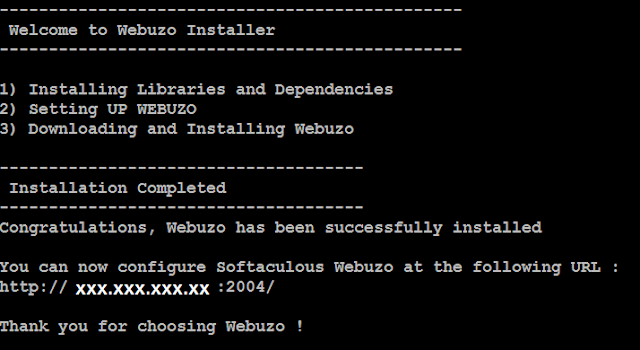
Once the installation is done SSH screen will look like below.
Basic Requirements
- Newly installed CentOS 5.x (x86 or x86_64) / CentOS 6.x (x86 or x86_64)
- YUM
- RAM - Minimum 512 MB (Recommended 1GB for best performance)
- Disk Space - Minimum 5GB (Recommended 10GB for best performance)
*Note : There should be no PHP, Apache, MySQL installed on the server
Installation
SSH to your server.
wget -N http://files.webuzo.com/install.sh
chmod 755 install.sh
./install.sh // This will install the LAMP Stack, DNS Server and FTP server along with Webuzo
OR
./install.sh --install=lamp,bind // This will install the LAMP Stack(softname -> lamp) and DNS Server
*Note : softname for Apps should be comma separated.
Once the installation is done SSH screen will look like below.
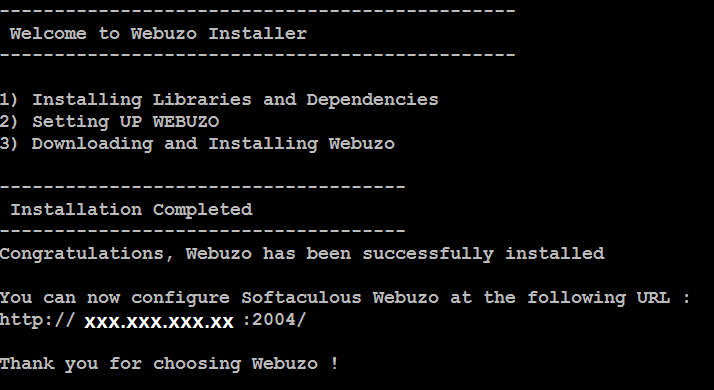
To access webuzo control panel IP:2004
Then fill the details and licence key and we are done.
